

Shopping for an inexpensive tablet shouldn’t feel like gambling. Plenty of budget slates cut corners that matter, from laggy processors to dim screens you can’t read outdoors. The picks below balance cost against the things that actually affect daily use, like storage headroom, software support, and whether the screen feels cramped the moment you open Netflix.
You’re looking at ten solid options spanning compact minis, workhorse Android slates, and full-featured iPads that often dip into budget territory on the retailer. Each one serves a different kind of shopper, so the shortlist below maps them to real scenarios: students, casual streamers, frequent travelers, and anyone who just needs a reliable screen for email and recipes.
An Overview Of The Picks

Apple iPad 11-inch (A16, 128GB, Yellow)
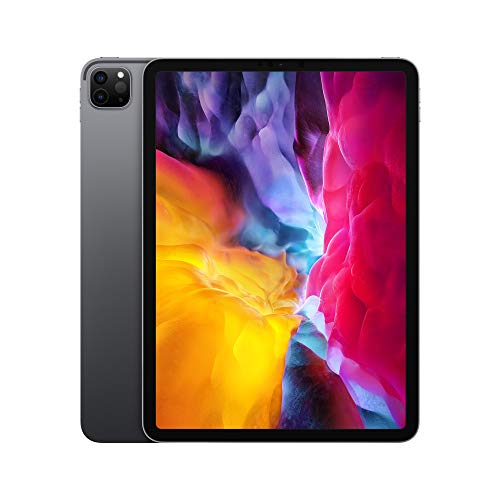
2020 Apple iPad Pro 11-inch (Wi-Fi, 128GB, Space Gray)
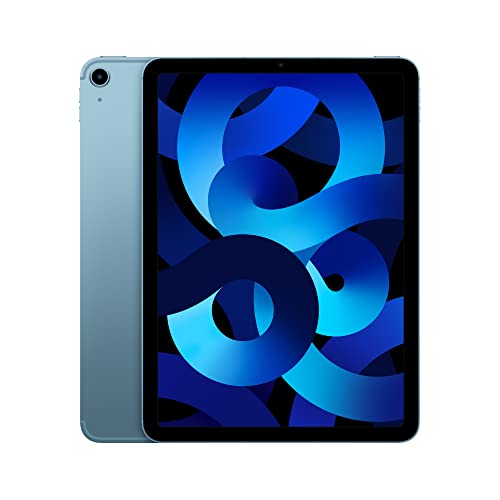
Apple iPad Air 5th Gen (M1, 256GB, Blue)

Samsung Galaxy Tab S7 Wi-Fi (256GB, Mystic Navy)
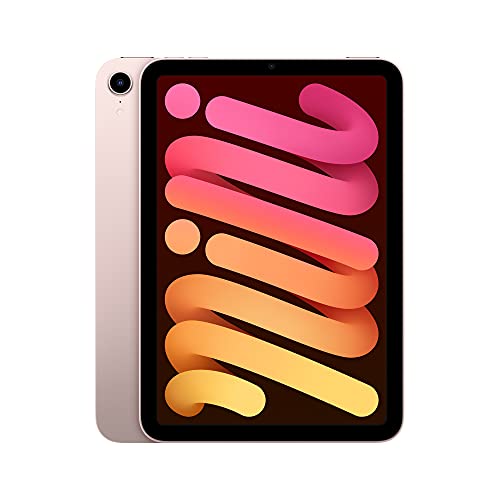
Apple iPad mini 6th Gen (A15, 64GB, Pink)
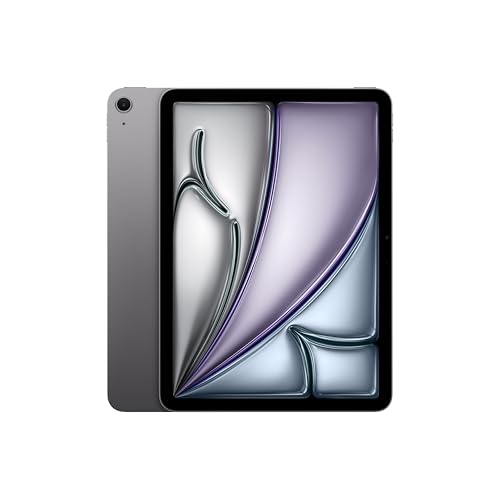
Apple iPad Air 11-inch (M4, 1TB, Space Gray)

Apple iPad mini (A17 Pro, 512GB, Purple)
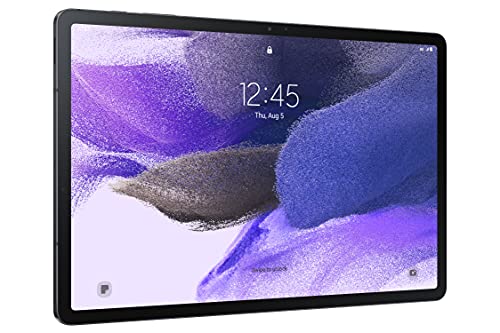
Samsung Galaxy Tab S7 FE (64GB WiFi, Mystic Black)
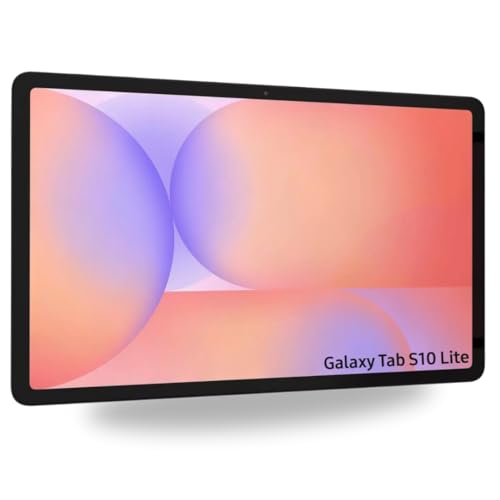
Samsung Galaxy Tab S10 Lite (128GB, S-Pen, Gray)

Samsung Galaxy Tab S10 FE (128GB WiFi, Silver)
Why These Options Stand Out
The latest 11-inch iPad hits a sweet spot most shoppers actually want: a fast A16 chip, a Liquid Retina display (Apple’s term for a high-density IPS panel with wide color), and 128GB of starting storage. For anyone taking notes in class, sketching ideas, or unwinding with a show on the couch, it handles the basics without feeling strained.
Compared to older budget iPads, the jump to 128GB base storage means you won’t hit a wall downloading apps and offline videos right away. Touch ID keeps the unlock simple, and the USB-C port makes charging cable hunts a thing of the past. The yellow finish is a small but cheerful touch for shoppers tired of silver and gray.
Real-World Strengths
- A16 chip delivers smooth multitasking across streaming, browsing, and light gaming for years of iPadOS updates.
- 128GB base storage fits a healthy app and offline media library without immediate cloud anxiety.
- Liquid Retina display with True Tone (a feature that shifts color warmth based on ambient light) keeps reading comfortable in bedrooms and sunlit cafes.
- USB-C charging aligns with most modern laptops and phones, so one charger covers multiple devices.
- All-day battery life holds up through cross-country flights and back-to-back lectures without reaching for an outlet.
Points To Keep In Mind
- The A16 is plenty fast today but lacks the headroom of M-series chips for heavy video editing.
- Accessories like the Apple Pencil and Magic Keyboard Folio are sold separately and add up quickly.
- Wi-Fi-only models skip the option of on-device data on long road trips or train commutes.
Feature Snapshot
Whose Shelf It Belongs On
Students, casual streamers, and households that want one reliable tablet for shared daily use.
Reach For A Different Pick When
You edit video or music on the go and want pro-tier performance, in which case the Apple iPad Air 5th Gen offers M1 power at a similar footprint.
This 2020 iPad Pro keeps showing up in refurbished and clearance listings at prices that undercut newer Air models. The 11-inch Liquid Retina display with ProMotion (Apple’s 120Hz adaptive refresh rate that makes scrolling and drawing feel smoother) and the A12Z Bionic chip still hold up for design work and media editing years after launch.
The LiDAR Scanner (a depth-sensing module that maps rooms in 3D) adds genuine value for AR apps and interior design previews, features most budget tablets skip entirely. Face ID makes unlocking feel seamless during long sketching sessions, and the four-speaker audio setup is louder than what standard iPads produce.
What Pays Off
- ProMotion 120Hz display makes Apple Pencil latency nearly invisible for illustrators and note-takers.
- LiDAR Scanner unlocks accurate AR apps for measuring spaces and previewing furniture placement.
- Four-speaker audio delivers fuller sound for movies without immediately reaching for headphones.
- Face ID keeps unlock effortless even when the tablet sits flat on a desk across the room.
- USB-C port supports faster external storage and wired display output for productivity setups.
Trade-Offs To Consider
- Being a 2020 release means fewer remaining years of iPadOS updates compared to the iPad 11-inch above.
- Wi-Fi only on this listing means no on-device data for travel days without hotspots.
- Accessories compatible with newer iPad Pros may not fit the second-generation camera and speaker layout.
Right Fit For
Creators and design hobbyists who want ProMotion smoothness and LiDAR at a price well below current Pro models.
Skip It When
Long software support matters most for a shared family tablet, in which case the Apple iPad 11-inch will receive updates for more years to come.
The iPad Air with the M1 chip (Apple’s laptop-class silicon) brought desktop-tier performance to a thin tablet body, and it remains a smart buy whenever it dips below newer Air pricing. The 10.9-inch Liquid Retina display hits a comfortable middle ground between phone-sized minis and full laptop replacements.
256GB of storage gives breathing room for offline video, RAW photos, and creative project archives. Wi-Fi 6 plus 5G cellular (fifth-generation wireless that delivers broadband-class speeds on the go) means the tablet stays useful on commutes and at cafes where public Wi-Fi feels risky. iPadOS support has stayed strong for this generation.
Strong Points
- M1 chip handles pro apps such as LumaFusion and Procreate with desktop-class responsiveness.
- 256GB storage removes the constant juggling between local files and cloud storage that 64GB tablets force.
- 5G cellular option keeps work flowing in places where Wi-Fi feels unreliable or unsafe.
- Touch ID in the power button feels natural and avoids the screen-cutout look of Face ID models.
Small Caveats
- The 60Hz display (a standard refresh rate, smoother than older screens but not as fluid as ProMotion) trails the iPad Pro for stylus latency.
- Apple Pencil and Magic Keyboard costs add up fast when bought alongside the tablet itself.
Quick Facts
Who Should Grab It
Mobile professionals, art students, and small business owners who want MacBook-level power without the laptop form factor.
Consider Something Else When
You mainly want a couch tablet for streaming and email, where the Apple iPad 11-inch covers the same ground for less money.
The Galaxy Tab S7 was Samsung’s flagship Android tablet, and 256GB of internal storage still feels generous compared to most budget options. The included S Pen (Samsung’s active stylus with pressure sensitivity) attaches magnetically and charges off the tablet body, so you don’t need to hunt for batteries or replacement tips.
Compared to the iPad Pro above, this Android slate trades Face ID for a fingerprint reader and Apple’s polish for Samsung’s deep customization. Multi-device connectivity with Galaxy phones and earbuds creates a real productivity advantage for shoppers already in that ecosystem.
What Stands Out
- 256GB storage plus microSD expansion handles massive media libraries for offline travel.
- S Pen with magnetic charging feels natural for handwritten notes and quick sketches.
- Multi-device connectivity with Galaxy phones enables easy file handoff and second-screen features.
- DeX mode (Samsung’s desktop-like interface for connected displays) turns the tablet into a laptop-style workstation.
A Few Limitations
- Being a 2020 release means software support is winding down compared to the newer Tab S10 FE below.
- App optimization for Android tablets still trails iPadOS in many pro creative tools.
Key Specs
Made For
Note-takers, students, and Android loyalists who already own a Galaxy phone or pair of Galaxy Buds.
Not Your Match When
You depend on pro creative apps like Procreate, since the Apple iPad Air 5th Gen offers stronger app support for those workflows.
The iPad mini fits in coat pockets and small bags where full-size tablets feel like a commitment. The A15 Bionic chip (the same silicon that powered flagship iPhones) delivers speed that still feels snappy years after launch, and the 8.3-inch Liquid Retina display is the sweet spot for one-handed reading.
Compared to the iPad 11-inch above, this one sacrifices screen real estate and storage capacity for genuine portability. Travelers and commuters tend to favor the mini because it disappears into a bag and feels lighter held up for extended reading sessions.
Practical Pluses
- Compact 8.3-inch form slips into bags and large coat pockets without dedicated tablet sleeves.
- A15 Bionic handles modern apps and games without lag for years of useful life.
- USB-C charging matches the rest of your modern device collection.
- Center Stage (an auto-framing camera feature that keeps you in frame during video calls) makes handheld FaceTime calls feel polished.
A Few Limitations
- 64GB storage fills quickly with offline videos and large creative files.
- The smaller screen cramps split-view multitasking compared to the 11-inch iPad.
Spec Overview
Perfect Match For
Frequent travelers, commuters, and readers who want tablet functionality without the bulk.
A Better Fit Elsewhere
You mainly watch movies and want a larger canvas, in which case the Samsung Galaxy Tab S7 FE delivers a 12.4-inch screen for similar money.
The M4 iPad Air pushes serious creative horsepower into a thin tablet body, and 1TB of storage swallows entire photo and video libraries without breaking a sweat. Wi-Fi 7 (the latest wireless standard, faster and more reliable than Wi-Fi 6 on supported routers) future-proofs the connection for years of new routers and mesh systems.
Compared to the M1 iPad Air above, the M4 chip handles AI-driven apps like on-device image generation and complex Logic Pro sessions with far more headroom. The 1TB configuration suits anyone storing large RAW photo libraries or working with multi-track audio projects on location.
Key Advantages
- M4 chip delivers flagship performance for demanding creative apps and future iPadOS features.
- 1TB storage removes cloud anxiety for photographers and videographers working in the field.
- Wi-Fi 7 with Apple N1 chip keeps speeds high on cutting-edge home networks.
- Touch ID in the power button keeps the slim bezel design uncluttered.
Worth Bearing In Mind
- 1TB storage commands a premium that casual shoppers don’t need.
- M4 performance exceeds what most apps currently demand, leaving headroom as future-proofing rather than daily gain.
Best Suited To
Power users, professional photographers, and video editors who need laptop-class performance in a tablet shell.
Look Elsewhere When
You mostly stream, browse, and take notes, where the Apple iPad 11-inch covers the same everyday scenarios at a lower tier.
The A17 Pro iPad mini pairs flagship-class silicon with the same pocketable 8.3-inch form factor that made its predecessor popular. 512GB of storage doubles what most compact tablets offer, giving travelers room for full movie libraries and offline creative project files.
Apple Intelligence features (the company’s on-device AI tools for writing, image generation, and productivity) run smoothly on the A17 Pro, giving this mini a meaningful edge over the older iPad mini 6 above. Wi-Fi 6E (an extended version of Wi-Fi 6 that opens a cleaner 6GHz band) keeps speeds high on modern home networks.
The Case For It
- A17 Pro chip handles Apple Intelligence features and demanding games without slowdown.
- 512GB storage is rare in compact tablets and fits extensive offline media libraries.
- Wi-Fi 6E unlocks the fastest home network band where available.
- Apple Pencil Pro compatibility turns the mini into a serious sketchbook on the go.
Honest Caveats
- The 8.3-inch screen limits split-view productivity compared to the 11-inch iPad above.
- Apple Pencil Pro is sold separately and adds to the total cost for note-takers.
Who Will Love This
Travelers, frequent flyers, and digital sketchbook fans who want flagship speed in the most portable iPad form.
Another Choice May Suit
You want a bigger screen for couch streaming, where the Samsung Galaxy Tab S10 FE offers a larger canvas with Android flexibility.
The Tab S7 FE trades some raw power for a roomy 12.4-inch display at a price that often undercuts Apple’s larger iPads. The included S Pen feels like a real pen in the hand, which matters for handwritten notes during long lectures or sketchbook sessions at the kitchen table.
Compared to the Galaxy Tab S7 above, this Fan Edition model drops the flagship processor for a slightly less aggressive chip, but the larger screen makes streaming and split-view multitasking feel more natural. Dual speakers round out the entertainment experience for shared viewing.
Positive Takeaways
- 12.4-inch display gives movies and split-view apps room to breathe.
- S Pen included in the box means no extra accessory cost for note-takers.
- Dual speakers deliver fuller audio without immediately reaching for headphones.
- Long-lasting battery covers cross-country flights and full workdays comfortably.
Some Limits To Know
- 64GB storage fills quickly with offline video and benefits from a microSD card.
- Processor is a step behind the standard Tab S7 and newer Tab S10 FE for gaming.
Right Fit For
Streaming fans, students who take handwritten notes, and households wanting a shared entertainment tablet.
Not Your Match When
You want the latest Android version and longer software support, in which case the Samsung Galaxy Tab S10 Lite ships with Android 15 and ongoing updates.
The Tab S10 Lite arrives with Android 15, a 90Hz display (a refresh rate that makes scrolling and animations feel smoother than standard 60Hz screens), and the included S Pen, hitting a nice middle ground for daily use. 128GB of storage suits most app and offline media needs without microSD juggling.
The international X400 model designation means warranty and band support may vary by region, so checking cellular compatibility matters if you travel abroad. Compared to the Tab S7 FE above, the newer Lite model delivers a faster refresh rate and a more current Android version for longer app compatibility.
Well-Handled Touches
- 90Hz display makes scrolling and stylus input feel noticeably smoother.
- S Pen included supports handwritten notes without extra accessory cost.
- Android 15 keeps the tablet current with the latest apps and security patches.
- Vision Booster (Samsung’s ambient brightness tuning) eases outdoor reading in bright conditions.
A Few Limitations
- International model status means regional warranty and LTE band compatibility may vary.
- Wi-Fi only on this listing removes the option of on-device cellular data.
Made For
Daily Android users, students, and shoppers wanting a current-generation OS and smooth scrolling for a long price.
Where Another Pick Suits Better
You need pro creative app support or longer tablet-specific software longevity, where the Apple iPad 11-inch offers stronger app optimization and years of iPadOS updates.
The Galaxy Tab S10 FE delivers a 90Hz display, dual speakers, and Galaxy AI features in a fan-edition package that won’t strain most budgets. Circle to Search (an AI feature that lets you look up anything on screen with a simple gesture) and similar smart tools add practical shortcuts for students and casual research sessions.
Compared to the Tab S7 FE above, this newer model brings smarter AI integration and a faster refresh rate, making everyday interactions feel smoother. 128GB of storage covers most app and offline media needs without forcing microSD reliance.
Notable Upsides
- 90Hz display makes scrolling, animations, and stylus input feel polished.
- Galaxy AI features like Circle to Search add real daily-use shortcuts.
- Dual speakers deliver fuller sound for shared viewing without headphones.
- 128GB storage fits typical app and offline media libraries comfortably.
Less Ideal Details
- Wi-Fi only on this listing omits on-device cellular for travel days.
- Galaxy AI features rely on Samsung account login and cloud processing for some tools.
Who Should Grab It
Balanced shoppers wanting modern AI features, smooth scrolling, and a current Android tablet without flagship pricing.
Skip It When
You prefer the tighter app ecosystem and longer software support of iPadOS, in which case the Apple iPad 11-inch delivers a similar everyday experience.
What To Weigh Before Choosing An Inexpensive Tablet
Screen size shapes how a tablet feels in daily use more than any other spec. Compact 8-inch models disappear into bags and feel right for reading and handheld browsing, while 10 to 12-inch screens give split-view apps and movies room to breathe. Match the size to your most common scenario rather than chasing the largest number on the spec sheet.
Storage matters more than shoppers often expect. 64GB fills quickly with offline videos and modern games, so 128GB or higher keeps the tablet useful longer. Expandable storage via microSD on Android tablets softens this concern, but iPads lock you in at purchase time, making the higher storage tier worth the upgrade for anyone who travels.
Software support determines how long a tablet stays useful. iPadOS typically supports devices for six or more years, while Android support varies widely by manufacturer and model. Choosing a current-generation tablet with confirmed ongoing updates protects your investment better than chasing an older discount.
Accessories can quietly double the total cost. Apple Pencil, Magic Keyboard, and Samsung’s keyboard covers all add up. Budget shoppers should decide which accessories matter most and price them into the total, rather than comparing tablet prices alone.
Things Worth Knowing Before You Commit
Common Shopping Slip Ups
Chasing the lowest sticker price often means settling for 32GB or 64GB of storage, a figure that fills up within months of regular app and video use. Stepping up one storage tier usually costs less than expected and extends the useful life of the tablet considerably. International or refurbished models may carry shorter warranties or region-specific LTE band gaps, so verify those details before checkout.
What The Higher Tier Buys
Spending more on a tablet generally gets you a faster refresh rate (90Hz or 120Hz instead of 60Hz), more storage, and a newer processor that handles future iPadOS or Android updates for longer. These improvements matter most for creative apps, gaming, and shoppers planning to keep the tablet four years or more. Casual email and reading shoppers rarely notice the difference, so the budget tier serves them well.


