

You don’t need to spend a fortune to get a tablet that handles streaming, note-taking, video calls, and casual work without frustration. Plenty of capable slates now sit well below flagship pricing, especially older iPad generations and modern Android releases that bundle pens or cases. The challenge is sorting the genuinely good deals from the ones that look affordable only because they cut corners that matter.
This roundup walks through ten picks covering everyday use, study setups, kids’ rooms, and travel. You’ll find iPads at multiple price tiers, Lenovo Android tablets with productivity extras, and protective cases for one of Samsung’s mid-range slates. Each entry explains what the tablet is genuinely good at, where it falls short, and which shopper will get the most out of it.
The Choices Worth Comparing
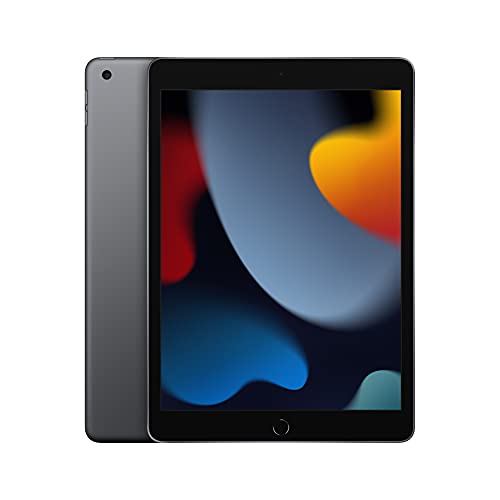
Apple iPad (9th Generation) 64GB Wi-Fi
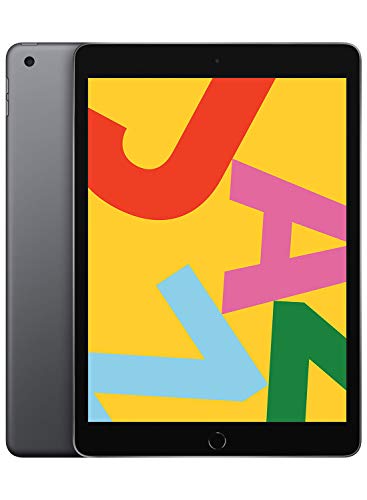
Apple iPad (10.2-inch, Wi-Fi, 32GB) Space Gray

Apple iPad (Wi-Fi, 32GB) Gold
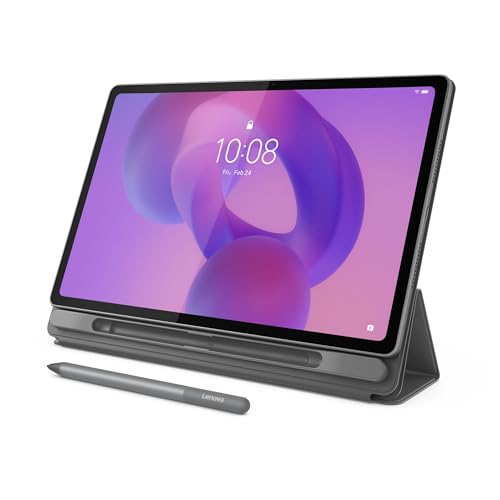
Lenovo Idea Tab Plus 12.1-inch 2.5K

Lenovo Idea Tab 11-inch 2.5K 256GB
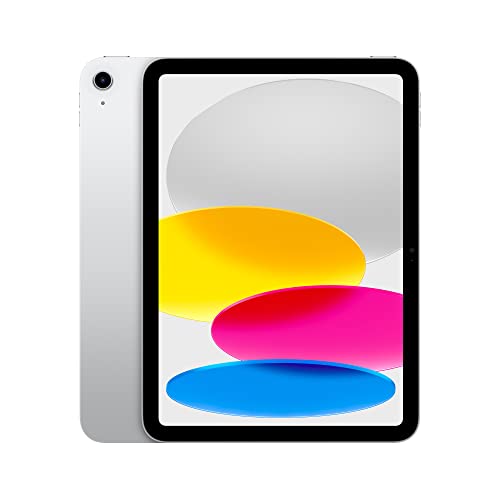
Apple iPad (10th Generation) 64GB Wi-Fi 6

Nitupai Shockproof Case Tab A11+/A9+ Red Black

Nitupai Shockproof Case Tab A11+/A9+ Black Red

Nitupai Shockproof Case Tab A11+/A9+ BlackBlue

Lenovo Tab One 8.7-inch 64GB with Folio Case
More Details On Our Top Picks
The 9th generation iPad is the version most people picture when they imagine a no-fuss Apple tablet. It pairs a 10.2-inch Retina display (a high-resolution LCD that renders text and video crisply) with the A13 Bionic chip, which still feels quick for everyday apps, browsing, and casual gaming.
Compared to the older 10.2-inch models below, this one brings a far better Ultra Wide front camera with Center Stage, a feature that automatically pans to keep you framed during video calls. For households leaning toward one iPad that does a bit of everything, the jump to 64GB of storage and the modern A13 silicon makes this the most balanced pick in the Apple lineup here.
The Helpful Details
- Center Stage keeps video calls framed as you move around the kitchen or living room.
- A13 Bionic handles multitasking across Safari, Notes, and streaming apps without lag.
- 64GB storage fits a healthy mix of offline videos, photos, and textbooks.
- Touch ID fingerprint sensor unlocks the tablet quickly without typing passcodes.
- 10.2-inch Retina screen stays sharp for reading, sketching, and watching shows.
Worth Bearing In Mind
- 64GB fills up fast with downloaded games and 4K videos.
- Apple Pencil support requires a first-generation Pencil, sold separately.
- Speakers are decent but not room-filling for movie nights.
Key Product Details
Right Fit For
Everyday households and students who want a reliable iPad for browsing, streaming, video calls, and light productivity without paying for the newest generation.
A Better Fit Elsewhere
Shoppers needing larger storage for heavy media libraries should consider the Lenovo Idea Tab 11-inch 2.5K 256GB for its roomier 256GB capacity.
This is the previous-generation 10.2-inch iPad, which still delivers the familiar iPadOS experience at the lowest entry point on this list. The A10 Fusion chip is older but capable of running Safari, streaming apps, and casual games without drama.
For shoppers who mainly want FaceTime, email, and a Netflix tablet, the 32GB storage and older FaceTime HD front camera may be acceptable. That said, anyone holding video calls regularly should weigh the upgrade to the 9th generation above for the much-improved Center Stage experience.
What It Does Well
- Lowest-cost path into the iPad app ecosystem.
- 10.2-inch Retina display renders video and reading clearly.
- Touch ID keeps login fast for older family members.
- Stereo speakers handle YouTube and casual music well.
Honest Caveats
- A10 Fusion chip slows under heavy multitasking or newer games.
- 32GB fills quickly with apps and downloaded episodes.
- 1.2MP FaceTime HD front camera looks soft compared to newer iPads.
Whose Shelf It Belongs On
Light users, secondary household tablets, or first-time iPad owners who mostly stream, browse, and check email.
Swap It Out When
Anyone who takes frequent video calls should swap to the Apple iPad (10th Generation) 64GB Wi-Fi 6 for its 12MP front camera and faster processor.
The 9.7-inch iPad in gold trades a bit of screen real estate for a slightly more pocketable feel. You get the same A10 Fusion chip and Touch ID as the 10.2-inch model above, but in a body that suits single-handed reading sessions and travel bags.
Gold is a small thing, but for shoppers who like lighter finishes, this colorway shows up less often in this category. The trade-off is screen space: split-view multitasking feels tighter here than on the 10.2-inch and 10.9-inch iPads.
Practical Pluses
- 9.7-inch size slips into smaller bags and fits one-handed.
- Retina display still looks crisp for books and shows.
- Touch ID keeps unlocking quick and reliable.
- Gold finish stands out from typical gray and silver tablets.
Minor Gripes
- Smaller screen limits comfortable split-screen multitasking.
- Same aging A10 chip struggles with newer resource-heavy apps.
- 32GB storage requires cloud reliance for large media libraries.
Best Suited To
Readers and casual streamers who prefer a smaller tablet for couch, commute, or bedside use.
Not Your Match When
Productivity-focused users should consider the Lenovo Idea Tab Plus 12.1-inch 2.5K for its larger canvas and included pen.
Step into Android territory and the Lenovo Idea Tab Plus jumps to a 12.1-inch 2.5K IPS touchscreen with a 90Hz refresh rate, which means scrolling and stylus input look smoother than on standard 60Hz displays. The MediaTek Dimensity 6400 chip and 8GB of RAM keep things responsive for multitasking.
The big draw here is the included Lenovo Tab Pen and Folio case, both bundled in the box. For shoppers who want to sketch, mark up PDFs, or handwrite notes without buying accessories separately, that bundle is genuinely useful. Compared to the smaller 11-inch Lenovo below, this model gives you a noticeably bigger canvas for split-screen work.
Useful Highlights
- 12.1-inch 2.5K panel offers sharp, color-rich viewing for media and notes.
- 90Hz refresh makes scrolling and pen strokes feel fluid.
- Included Tab Pen removes the need to buy a stylus separately.
- 128GB storage holds a sizable offline library of videos and documents.
- Folio case adds screen protection and a stand for hands-free viewing.
Things To Consider
- 12.1-inch size makes one-handed use awkward on smaller laps.
- Dimensity 6400 handles everyday tasks well but trails flagship silicon.
- Folio case adds bulk for backpack travel.
Feature Snapshot
Made For
Creatives, students, and professionals who want a large Android canvas for sketching, reading, and split-screen work.
Look Elsewhere When
Travelers prioritizing portability should consider the Lenovo Tab One 8.7-inch 64GB with Folio Case for its pocket-friendly size.
The 11-inch Idea Tab is pitched directly at college life, with quad Dolby Atmos-tuned speakers that make lecture clips and study playlists sound fuller. The 2.5K display and 90Hz refresh match its bigger sibling above, while 256GB of storage gives breathing room for lecture recordings and textbooks.
For shoppers weighing this against the Lenovo Idea Tab Plus, the trade-off is straightforward: you give up an inch of screen and step down slightly to a Dimensity 6300 chip, but you double the storage. Anyone leaning on cloud syncing and local files should appreciate that headroom.
Notable Gains
- 256GB storage fits entire semesters of PDFs, slides, and recorded lectures.
- Quad speakers with Dolby Atmos tuning improve dialogue clarity in lectures.
- Included Tab Pen and Folio Case remove extra purchases.
- 11-inch form factor splits the difference between reading and productivity.
Trade Offs
- Dimensity 6300 trails the 6400 in the 12.1-inch sibling for heavier apps.
- 11-inch screen still feels cramped for full spreadsheet work.
Quick Facts
Perfect Match For
College students juggling lectures, notes, and textbooks who want extra storage and included accessories without flagship pricing.
Skip It When
Shoppers wanting a larger creative canvas should consider the Lenovo Idea Tab Plus 12.1-inch 2.5K instead.
The 10th generation iPad brings an all-screen design with a 10.9-inch Liquid Retina display, the A14 Bionic chip, and Wi-Fi 6 for faster home network speeds. Touch ID moves to the top button, and you get a 12MP front and rear camera setup for crisper video calls and scans.
Compared to the 9th generation at the top of this list, this model feels meaningfully newer: better cameras, a faster chip, and a screen that fills more of the front. The honest read is that for shoppers planning to keep their tablet three or more years, the A14 silicon and Wi-Fi 6 offer more future-proofing than the older A13 model.
Where It Helps
- 10.9-inch Liquid Retina display extends closer to the edges for more usable space.
- Wi-Fi 6 supports faster speeds on modern routers.
- 12MP front and rear cameras improve video calls and document scanning.
- A14 Bionic chip handles iPadOS updates comfortably for years.
Trade-Offs To Consider
- Costs more than the 9th generation iPad above.
- Apple Pencil support requires a USB-C Pencil, sold separately.
- 64GB storage can feel tight for downloaded video libraries.
Right Fit For
Long-term Apple users and shoppers who want a modern iPad experience without stepping into Pro pricing.
Consider Something Else When
Budget-focused shoppers should consider the Apple iPad (9th Generation) 64GB Wi-Fi for similar everyday use at a lower tier.
Sliding from tablets into accessories, this Nitupai case fits the Samsung Galaxy Tab A11+ Plus and A9+ 11-inch models, both 2026 releases. It’s a form-fitted shell designed to absorb drops and bumps, with a built-in screen protector for added defense.
For households handing tablets to kids or carrying one in a backpack, the red and black colorway makes the device easy to spot in a busy room. Just double-check the model number on your Samsung tablet before ordering, since the fit is specific to those A11+ and A9+ variants.
Everyday Advantages
- Shock-absorbing shell cushions against everyday drops and desk edges.
- Built-in screen protector saves buying one separately.
- Form-fitted design keeps buttons, ports, and cameras accessible.
- Bright red and black finish helps locate the tablet quickly.
Points To Note
- Fit is limited to Samsung Galaxy Tab A11+ Plus and A9+ 11-inch models.
- Built-in screen protector may slightly reduce touch sensitivity for some users.
Best Suited To
Parents and caregivers protecting a Samsung Galaxy Tab A11+ Plus or A9+ from toddler-level handling.
Not Your Match When
Owners of different Samsung tablets should look for a case model matched to their specific device number.
This is the same shockproof design as the previous case but in a black and red colorway that leans more grown-up for travel bags and work commutes. The reinforced corners absorb impacts, while the integrated screen protector shields the display from keys and pens.
Compared to the red-and-black version above, this one reads as slightly more subdued. Frequent travelers and commuters carrying their tablet alongside laptops should find the rugged build worth the small extra weight.
Real-World Strengths
- Reinforced corners handle drops from couches and café tables.
- Form-fitted shell keeps all buttons and ports reachable.
- Built-in screen protector blocks scratches from daily carry.
- Black dominant colorway hides scuffs during long-term use.
Worth Noting
- Only fits Samsung Galaxy Tab A11+ Plus and A9+ 11-inch models.
- Slightly heavier than a slim slipcase in long commutes.
Right Fit For
Commuters and frequent travelers using a Samsung Galaxy Tab A11+ Plus or A9+ who want rugged protection without bulk beyond reason.
Consider Something Else When
Anyone using a different tablet should match the case to their specific model before ordering.
Rounding out the case trio, the BlackBlue finish offers a calmer, more neutral look for shared offices and family settings. The protective shell and built-in screen protector mirror the previous Nitupai models, so the choice here really comes down to color preference.
For shoppers furnishing a small business or shared household where the tablet passes between people, the muted palette feels more professional than the brighter red variants. Same drop protection, just a quieter visual signature.
Useful Touches
- Muted BlackBlue finish fits office and shared household settings.
- Shock-absorbing construction protects against common drops.
- Built-in screen protector keeps the display scratch-free.
- Form-fit preserves access to ports, buttons, and cameras.
Potential Compromises
- Color choice may not suit shoppers wanting brighter personalization.
- Only compatible with Samsung Galaxy Tab A11+ Plus and A9+ 11-inch tablets.
Who Should Grab It
Small offices, shared households, and shared-space tablet users wanting durable protection with a professional finish.
Reach For A Different Pick When
Parents wanting high-visibility colors for kid-friendly use should consider the Nitupai Shockproof Case Tab A11+/A9+ Red Black instead.
The Lenovo Tab One wraps an 8.7-inch HD display into a palm-sized chassis weighing under a pound, with up to 12.5 hours of YouTube streaming on a single charge. The MediaTek Helio G85 chip and 4GB of RAM handle reading apps, streaming, and light browsing without trouble.
Among the picks here, this is the most travel-ready option. Where the Idea Tab models above prioritize productivity, this one leans into portability and battery life. The included Folio case folds into a stand for tray-table viewing on flights or propped-up cooking videos in the kitchen.
The Case For It
- 8.7-inch size fits jacket pockets and small crossbody bags.
- Up to 12.5 hours of streaming covers long flights and road trips.
- Folio case doubles as a viewing stand for hands-free use.
- Lightweight design reduces fatigue during extended reading.
Some Limits To Know
- 4GB RAM can struggle when many apps stay open in the background.
- HD resolution is softer than the 2.5K panels on the larger Idea Tabs.
Who It Suits Best
Frequent travelers, commuters, and bedside readers who prioritize a small, long-lasting tablet over large-screen productivity.
Where Another Pick Suits Better
Students needing split-screen productivity should consider the Lenovo Idea Tab 11-inch 2.5K 256GB for its larger canvas and bigger storage.
What To Weigh Before Picking An Affordable Tablet
Match The Tablet To The Job, Not The Spec Sheet
The single biggest decision is what the tablet will actually do most days. A student buried in PDFs and lecture recordings wants storage, pen support, and a comfortable reading screen, which puts the Lenovo Idea Tab 11-inch 2.5K 256GB high on the list. A traveler chasing battery life and one-handed comfort gets more from the Lenovo Tab One 8.7-inch. Households that just want one iPad to share across FaceTime, streaming, and browsing will find the 9th generation iPad hits a sweet spot.
Operating System Shapes The Long-Term Experience
iPadOS and Android behave differently once you go past casual apps. iPadOS brings a deep app catalog, reliable updates for years, and tight integration with Apple services, which is why older iPads still feel useful years after release. Android tablets like the Idea Tab line offer more hardware variety, often with bundled pens and cases at lower prices, but app optimization varies more between tablets. Pick the ecosystem you already lean on, since switching ecosystems later means repurchasing apps and re-learning habits.
Storage And Accessories Matter More Than Raw Speed
Storage decides how many downloaded videos, photos, and textbooks you can keep offline. 32GB fills quickly with even a modest game or two, while 64GB suits most casual households. 128GB and 256GB matter once you start saving lectures, downloading entire series for travel, or working with large PDFs. Accessories like pens and cases often tip the value calculation, and Lenovo bundling the Tab Pen and Folio case with the Idea Tab models means the total package is closer to a real productivity setup out of the box.
Size And Battery Set The Daily Rhythm
Screen size changes how a tablet feels in your hands and on your lap. Anything under 9 inches works well for reading and travel, while 10 to 12 inches suits split-screen work and shared streaming. Battery life separates a tablet you can take on a long flight from one that needs a nightly outlet. The Lenovo Tab One’s quoted streaming time is a meaningful edge for travelers, while iPads typically last a full workday of mixed use.
Key Considerations Across These Picks
Pitfalls Shoppers Hit
The most common mistake is buying on advertised chip speed alone. A fast processor can’t save you from 32GB of storage that fills in a week, or a screen that feels cramped for the work you actually do. Another trap is skipping the model check on accessories: a case built for one Samsung tablet model will not fit another, even if both are 11-inch slates. Take a moment to verify the exact model number before ordering cases or pens.
When Paying More Pays Off
Higher-tier models in this list, like the Lenovo Idea Tab Plus and the 10th generation iPad, earn their premium through longer software support, better displays, and bundled accessories. The A14 Bionic in the 10th generation iPad will keep receiving iPadOS updates longer than the A13 in the 9th generation. Doubling storage from 64GB to 256GB on the Lenovo Idea Tab removes the cloud dependency that frustrates many students. When you plan to keep a tablet three or more years, the extra spend typically returns its value through longevity and fewer frustrations.
Frequently Asked Questions
Which Affordable Tablet Is Best For Students?
The Lenovo Idea Tab 11-inch 2.5K 256GB stands out for students thanks to its 256GB storage, included Tab Pen for handwritten notes, and Dolby Atmos speakers for lecture playback. Shoppers who prefer Apple’s ecosystem should consider the 9th generation iPad for its app depth and longer software support.
Are Older iPads Still Worth Buying?
Yes, older iPads like the 9th generation and 10.2-inch models remain genuinely useful for browsing, streaming, video calls, and note-taking. They run current iPadOS versions, support most modern apps, and cost noticeably less than the newest releases.
Do I Need A Stylus With An Affordable Tablet?
A stylus adds the most value for note-taking, sketching, and marking up PDFs. The Lenovo Idea Tab Plus and Idea Tab both include a pen in the box, which removes a separate purchase. iPads require an Apple Pencil bought separately.
How Much Storage Is Enough?
64GB suits most casual households who stream rather than download. 128GB covers students and frequent travelers saving videos offline. 256GB and above make sense for heavy media libraries and professional work files.
Can These Tablets Handle Video Calls?
All iPads in this list support FaceTime and third-party video apps, with the 9th generation and newer offering Center Stage for automatic framing. The Lenovo Idea Tab models include capable front cameras for video calls on Zoom, Google Meet, and similar apps.
Closing Remarks
Choosing an affordable tablet gets easier once you match the device to the way you actually use it. Households wanting a versatile Apple tablet will find the 9th generation iPad covers the most ground, while students and travelers benefit from the Lenovo Idea Tab’s bundled pens. Smaller picks like the Lenovo Tab One and the protective Nitupai cases round out the list for portability and durability. Take stock of your daily routine, pick the ecosystem that fits, and you’ll likely find the right match somewhere in these ten.


