

Small-scale 3D printing has quietly become one of the most accessible corners of the maker world. Whether you’re sketching your first figurine, prototyping a household fix, or gifting a creative tool to a curious kid, compact printers now deliver surprising detail without dominating your desk. The trick is matching the right format, FDM (fused filament, where melted plastic is extruded layer by layer) or resin (where liquid photopolymer is cured by light to capture fine detail), to your actual goals, not the one with the loudest marketing. This roundup looks at nine budget-friendly mini printers that earn their place through practical design, real-world usability, and specs that translate into prints you’ll actually keep.
The Picks In Brief

Magic Jimmy AI-Powered Kids 3D Printer

phrozen Sonic Mini 8K S Resin Printer
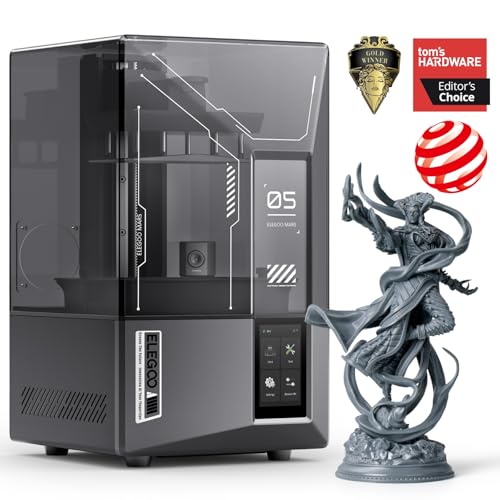
ELEGOO Mars 5 Ultra Resin 3D Printer

ANYCUBIC Photon Mono 4 Ultra 10K
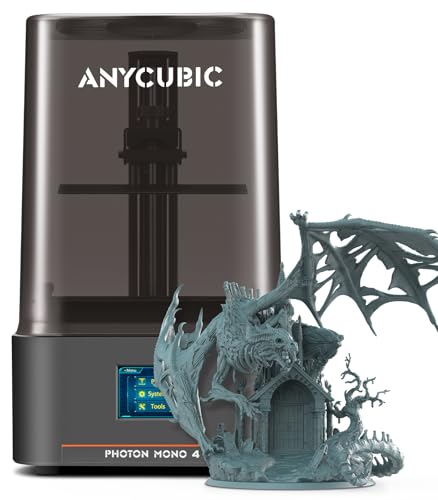
ANYCUBIC Photon Mono 4 10K Printer

ANYCUBIC Photon P1 14K Dual-Platform

ANYCUBIC Photon Mono M7 PRO 14K
XZN Fully Assembled Mini 3D Printer Kit

Bambu Lab A1 mini + LED Lamp Kit
Taking A Closer Look At The Options
The Magic Jimmy is built from the ground up for younger users, and the AI tools show it. Where most kid-targeted printers hand you a generic app and hope for the best, this one layers in AI Craft (turns sketches or text into printable models), AI Doodle, AI MiniMe (converts a photo into a cartoon figurine), and MiniMakie for customization. The fully enclosed printing chamber is the safety play: hot components and moving parts stay sealed away from curious hands, which is the single biggest reason parents tend to relax around a working printer.
Setup is essentially zero, since it ships fully assembled. For a parent gifting a STEM toy, that “open the box, plug it in, start printing” moment is genuinely valuable. Compared to the resin picks further down the list, this is a different universe of output, softer filament builds rather than high-detail miniatures, but it teaches the same core loop of design, slice, print.
The Practical Payoff
- AI-assisted design tools let kids go from sketch or photo to a printable model without CAD knowledge
- Fully enclosed chamber keeps hot ends and rails away from small hands
- Arrives fully assembled, so the first print happens on day one
- Frame a fun, low-pressure intro to 3D printing as a hobby or classroom tool
Trade Offs
- Filament (FDM) output lacks the fine detail of the resin printers on this list
- AI model generation works best with simple shapes; complex art may need tweaking
- Replacement nozzles and parts are tied to a smaller brand ecosystem, so sourcing spares takes extra effort
Key Specs
Right Fit For
Parents and teachers introducing kids ages 8 and up to 3D printing without CAD skills or workshop space.
Reach For A Different Pick When
Collectors chasing tabletop-grade miniatures will get sharper results from the ANYCUBIC Photon Mono 4 10K further down the list.
The phrozen Sonic Mini 8K S is the gentlest on-ramp to resin printing in this roundup. The 7.1-inch monochrome LCD paired with 22-micron XY resolution (the smaller the micron number, the finer the detail each layer can resolve) delivers the kind of detail that used to require machines costing several times more, and the 16.5 x 7.2 x 17 cm build volume (the physical space inside the printer where the model is actually built) is plenty for tabletop minis and small props. For a first-time resin user, that combination of resolution, footprint, and approachable pricing is hard to beat.
It also plays nicely with the slicers most hobbyists already know, including Lychee, Chitubox, and Tango, so you won’t have to learn a new workflow from scratch. Compared to the FDM-based Magic Jimmy up top, this is a fundamentally different tool: the prints are smaller, the post-processing (cleaning, curing) is more involved, but the visual payoff for miniatures and models is in another league.
Everyday Wins
- 22-micron XY resolution captures fine textures on miniatures and action figures
- Compact tabletop footprint fits on a small desk or shelf
- Open slicer support avoids vendor lock-in
- Strong value entry point for first-time resin users
Things To Consider
- Resin prints require washing and post-curing (hardening with UV light after printing) as a separate step, so plan workspace and ventilation
- Build volume caps you at smaller display pieces, not large props
Whose Shelf It Belongs On
Beginner resin hobbyists printing tabletop minis, jewelry samples, or small display models in a home workspace.
Swap It Out When
You need higher resolution for jewelry-grade detail; the ELEGOO Mars 5 Ultra steps up to 9K precision with comparable cost.
ELEGOO has carved out a loyal following in the resin space, and the Mars 5 Ultra is the clearest expression of that lineage in this roundup. The 7-inch monochrome LCD hits 9K resolution with 18-micron XY pixels, a noticeable jump over the phrozen’s 8K panel, so surface textures on characters and small props come through sharper. The tilt-release innovation (a mechanism that tilts the build plate between layers to reduce peel force and speed up curing) pushes throughput up significantly, which matters when you’re running a print queue of small minis.
For someone graduating from a first resin printer, the Mars 5 Ultra is the natural step: same workflow, familiar Chitubox-based slicer ecosystem, but a measurable lift in detail. The trade-off is that you’re still in resin territory, meaning gloves, IPA (isopropyl alcohol) for rinsing, and a UV cure chamber are part of the deal, not optional accessories.
Well-Handled Touches
- 9K mono LCD with 18-micron XY detail elevates fine features on faces and hands
- Tilt-release tech cuts print times without sacrificing layer quality
- Established ELEGOO ecosystem makes firmware updates and spare parts easy to find
Honest Caveats
- Resin handling demands gloves, ventilation, and a dedicated wash station
- Slightly louder mechanics than entry-level resin printers, which may matter in shared spaces
- Faster prints mean mistakes are more expensive, so calibration matters more than on a slower unit
Feature Snapshot
Best Suited To
Intermediate resin hobbyists chasing sharper detail and faster batch output on tabletop minis and display figures.
Not Your Match When
You need maximum precision for fine jewelry or dental-style models; the ANYCUBIC Photon Mono 4 Ultra offers 10K sharpness for that workload.
The Photon Mono 4 Ultra is where resin detail starts to feel genuinely professional. The 7-inch 10K LCD packs 9024 x 5120 pixels with 17-micron XY precision, which translates into prints where layer lines essentially vanish and micro-details on textured surfaces read clearly. The COB (Chip-on-Board) light source (a densely packed LED array that delivers more uniform UV light across the entire screen) is the kind of under-the-hood upgrade that pays off in consistent cures, fewer dead pixels over time, and a more stable light engine that should last longer than older parallel-LED designs.
The build also leans on an 8mm T-type screw rod and precision guide rails, which keeps the Z-axis (the vertical axis the build platform moves along) stable during long prints, important when you’re chasing that 17-micron detail. For users who came up on entry-level resin machines, the Mono 4 Ultra feels like a real tool rather than a hobby toy. You trade a steeper price for the upgrade, and you still need the full post-processing routine, but the output speaks for itself.
Advantages To Know
- 10K LCD delivers visibly crisper surfaces than 8K or 9K alternatives
- COB light engine promotes even curing and tends to outlast older LED arrays
- Rigid guide rail system keeps tall prints dimensionally stable
Points To Note
- Resin workflow still requires wash, cure, and ventilation discipline
- 10K panels are more sensitive to debris on the LCD, so protective film care matters
- Heavier than entry-level resin units, so it’s less of a “move it around” printer
Made For
Experienced resin users producing finely detailed miniatures, display models, or small functional prototypes where surface quality matters.
Consider Something Else When
Speed is the priority over detail; the ANYCUBIC Photon Mono M7 PRO 14K delivers higher throughput for batch work.
Think of the standard Photon Mono 4 as the Mono 4 Ultra’s slightly more accessible sibling. It keeps the same 7-inch 10K LCD and 17-micron pixel pitch, so the visual fidelity on finished prints is essentially identical, but it skips some of the heavier industrial hardware. The LighTurbo matrix light source system is still in place, which means smooth layer curing and near-invisible layer lines on most prints, and a 1.5-second per-layer exposure time (how long the UV light shines through the LCD to harden each slice of resin) keeps print cycles reasonable for a 10K panel.
For someone stepping up from an entry-level resin unit, this is often the sweet spot. You get the 10K detail jump that matters most, without paying for the heavier frame of the Ultra. Compared to the phrozen Sonic Mini 8K S earlier in this list, you’re trading the 8K entry-level ergonomics for sharper resolution and faster exposure cycles. The post-processing routine is the same as any other resin machine, so plan your curing and wash setup accordingly.
What It Does Well
- 10K resolution at a more approachable price than the Ultra variant
- LighTurbo matrix light system delivers consistent layer curing across the build area
- 1.5-second exposure times keep print batches moving
- Clean ANYCUBIC firmware updates and a strong community for troubleshooting
Room For Improvement
- Build volume is modest, so large multi-piece prints require multiple runs
- 10K screens benefit from careful resin storage to avoid sediment scratching the LCD
Quick Facts
Who It Suits Best
Hobbyists ready to move past entry-level resin printers and prioritize surface quality for tabletop minis and display work.
A Better Fit Elsewhere
Engineers or pros who want a more industrial frame should look at the ANYCUBIC Photon P1 14K with its dual-material platform.
The Photon P1 is the most ambitious unit in this roundup, and the dual-color / dual-material platform is what sets it apart from every other entry. Where standard resin machines force a single color per build, the P1 lets you assemble multi-color or multi-material objects in one workflow, which is a meaningful unlock for creators who want functional prototypes with flexible joints or display pieces with realistic two-tone details. It also helps keep resin costs down for small models by using less material per build.
The mechanical side matches the ambition: industrial-grade ball screws and precision guide rails paired with a build platform flatness tolerance under 80μm (the maximum allowable deviation from a perfectly flat surface, where lower is better) keep tall prints true. The 14K screen pushes detail even further than the Mono 4 series. Compared to the ELEGOO Mars 5 Ultra, this trades raw speed for creative flexibility, so the right pick depends on whether you value color variation or print throughput more.
Practical Pluses
- Dual-color / dual-material platform opens up single-print assemblies with mixed properties
- 14K screen delivers some of the sharpest detail in this price tier
- Industrial ball screw and rail system keeps the Z-axis stable on long prints
Some Limits To Know
- Dual-material workflow has a learning curve; first attempts often need recalibration
- Higher up-front cost than single-platform resin machines
- Resin handling complexity scales up with multiple material types in play
Perfect Match For
Advanced makers and small studios prototyping two-tone or mixed-material functional parts in a desktop footprint.
Look Elsewhere When
You mainly print one-color minis and want lower cost; the ANYCUBIC Photon Mono 4 10K covers that need at a friendlier price.
Speed is the headline for the Photon Mono M7 PRO, and the numbers back it up. Using high-speed resin at a 0.1mm layer thickness, the printer pushes 170mm/h, while standard resin still hits around 130mm/h, which is a meaningful step up from typical 14K machines. The 14K monochrome LCD (13312 x 5120 resolution) and 16.8 x 24.8 μm XY resolution keep detail crisp even at those accelerated speeds, so you don’t feel like you’re trading quality for throughput.
For anyone running a resin workflow with deadlines, batch production, or just impatience, the M7 PRO reframes what’s possible at a desktop size. It’s also a strong upgrade path for owners of older Mono-series printers, since the slicer and resin ecosystem stays consistent. The honest read is that you still need a solid wash-and-cure routine, and faster printing makes resin discipline matter even more.
Bright Spots
- 170mm/h with high-speed resin cuts batch times dramatically
- 14K screen keeps detail intact even at faster exposure cycles
- Stays within the ANYCUBIC slicer ecosystem most resin users already know
Things To Weigh
- High-speed resin costs more per bottle than standard resin
- Fast prints magnify any vibration or leveling issue, so calibration discipline matters
At A Glance
Who Should Grab It
Resin hobbyists and small studios running batch production where shorter print cycles translate into more time for finishing work.
Where A Sibling Pick Shines
Two-tone or multi-material projects belong on the ANYCUBIC Photon P1 14K, which adds the dual-color platform that the M7 PRO lacks.
The XZN kit is a pragmatic starting point for first-time FDM users. It ships fully assembled with auto leveling (the printer automatically measures and adjusts the gap between the nozzle and the build plate, so you don’t have to dial it in by hand), includes a roll of filament and an SD card, and lists a 250mm/s top speed with 0.01mm precision claims. That combination removes most of the friction that usually sends a brand-new FDM owner down a YouTube rabbit hole before they ever see a finished print.
It’s a different category than the resin machines on this list, so direct comparisons only go so far. Where it earns its place is in classrooms, home offices, and kids’ bedrooms where a soft, safe intro to FDM matters more than chasing fine detail. The Bambu Lab A1 mini in the next slot is a stronger pick for a hobbyist who wants more headroom; the XZN is the right pick when “ready to use today” is the actual requirement.
The Case For It
- Comes fully assembled with auto leveling, so setup time is measured in minutes
- Includes filament and SD card, removing the most common first-day purchases
- Compact form fits on a school desk or small home workstation
Softer Spots
- FDM output won’t match resin detail for miniature-scale work
- Smaller build volume limits you to compact objects
- Brand ecosystem is smaller, so finding compatible upgrades may take extra research
Built With In Mind
First-time FDM users, classrooms, and families who want a low-fuss introduction to filament printing.
Skip It When
You want more print speed, larger build area, or a richer software ecosystem; the Bambu Lab A1 mini offers a more expandable platform.
The Bambu Lab A1 mini arrives with the polish you’d expect from a brand that built its reputation on fast, dependable FDM machines. Automatic calibration, ready-to-use out of the box, and a refined slicer experience make it feel like a grown-up tool rather than a starter kit. The included LED Lamp Kit is a small but thoughtful bonus: print a compatible lamp model and the finished print becomes a functional decorative light, a fun crossover from hobby to décor.
For an FDM hobbyist who wants a small-footprint printer that still grows with their skills, the A1 mini is an easy recommendation. It’s faster and more capable than the XZN kit earlier, and the Bambu Lab software ecosystem is widely regarded for being approachable. The honest read is that the LED Kit is a fun bonus, not a reason to buy on its own; the printer itself carries the value.
Strengths Worth Knowing
- Automatic calibration removes one of the biggest FDM pain points for new users
- Bambu Lab slicer and ecosystem are widely praised for ease of use
- LED Lamp Kit adds a creative outlet that turns prints into functional décor
- Strong support and frequent firmware updates from a brand with a real track record
Details To Watch
- FDM format means fine miniature detail won’t match the resin picks above
- Some Bambu Lab accessories are brand-specific, which can limit third-party upgrades
Who Will Love This
Hobbyists and creative home users who want a polished, expandable mini FDM printer that doubles as a décor project platform.
Not Your Match When
Tabletop miniature painting is your main goal; the ANYCUBIC Photon Mono 4 10K delivers the fine detail that FDM can’t match.
What To Weigh Before Choosing A Budget Mini Printer
Picking the right mini 3D printer comes down to a few honest questions about what you actually want to make, how much space you have, and how much post-processing you’re willing to do. The cheapest unit on paper isn’t always the cheapest in practice, since resin, IPA, curing accessories, and replacement parts add up. Here’s where to focus before clicking through.
Resin Versus Filament: A Real Trade-Off
Resin printers, like the phrozen, ELEGOO, and ANYCUBIC picks above, deliver dramatically sharper detail. That’s why almost every tabletop miniature and jewelry sample on social media comes off a resin machine. The cost is workflow: you need gloves, IPA washing, a UV cure station, and decent ventilation. Filament printers (FDM) like the XZN, Bambu Lab, and Magic Jimmy use melted plastic that’s easier to handle, less smelly, and far more forgiving for everyday objects, toys, brackets, and classroom projects.
Resolution Versus Speed
Numbers like “10K” and “14K” describe the LCD’s pixel count, and a higher number generally means crisper surface detail. But resolution alone doesn’t tell the whole story. The ANYCUBIC Photon Mono M7 PRO shows that speed has come a long way on modern machines. If you’re printing one or two minis a week, ultra-high speed is a nice extra; if you’re running a queue, it changes the entire workflow.
Build Volume And Footprint
Every printer on this list is compact, but “compact” still ranges from a tiny 7-inch mono panel setup to a slightly larger FDM frame. Map your available desk or shelf space before ordering. Smaller build volumes cap your project size; larger footprints compete with monitors and lamps.
Smart Considerations Across The Range
Where Shoppers Go Wrong
The most common mistake is choosing a printer purely on headline resolution without considering the full workflow. A 14K resin machine is overkill if you don’t want to set up a wash-and-cure station, and a 250mm/s FDM kit is the wrong tool if your heart is set on detailed miniatures. Equally, skipping on a proper auto-leveling printer to save a few dollars can lead to weeks of frustration for first-timers. Match the tool to your real use case, and buy accessories (resin-safe gloves, IPA, curing station) on day one rather than chasing them mid-project.
Where The Extra Money Goes
Stepping up from a starter resin unit to a 10K or 14K machine typically buys you a more uniform light engine, a more rigid Z-axis frame, and longer-lasting components. On the FDM side, paying more usually means a better slicer ecosystem, faster print speeds, and stronger firmware support. For most beginners, mid-tier picks like the ANYCUBIC Photon Mono 4 or the Bambu Lab A1 mini hit the sweet spot; pros and small studios will feel the difference moving to 14K or dual-material machines.
Frequently Asked Questions
Are cheap mini 3D printers worth it for beginners?
Yes, for learning the basics. Modern budget mini printers in the 7-inch resin and small FDM classes now deliver detail and reliability that required much pricier machines a few years ago. The honest caveat is that “cheap” still means accepting some limits, like smaller build volumes and basic accessory bundles.
What’s the difference between resin and FDM mini printers?
Resin printers cure liquid photopolymer with UV light, capturing very fine detail at the cost of post-processing and ventilation needs. FDM printers melt and extrude plastic filament, building objects layer by layer. Resin wins for miniatures and sharp details; FDM wins for durability, ease of use, and household objects.
How much space do I need for a mini 3D printer?
A single mini printer fits comfortably on a small desk, but the resin workflow adds wash and cure stations, so factor in extra counter or shelf space. FDM machines need a few feet of clearance and ideally some ventilation.
Do mini 3D printers need a lot of maintenance?
Routine maintenance is light: keep the build plate clean, level the bed if your model lacks auto-leveling, and for resin printers, keep the LCD film protected and the FEP (the translucent bottom film that lets UV light pass through to cure each resin layer) clean. Owners commonly report that staying ahead of small cleanups prevents most mid-print failures.
Can a mini 3D printer handle larger projects?
Not in a single print. Mini printers cap out at small build volumes, so larger projects need to be split into parts or printed in batches. For one-piece larger objects, a full-size printer is the better tool.
Bottom Line
The right mini printer depends less on budget and more on the kind of printing you actually enjoy. Resin picks like the phrozen Sonic Mini 8K S and the ANYCUBIC Photon Mono 4 are brilliant for sharp tabletop work, while FDM choices like the XZN kit and the Bambu Lab A1 mini make filament printing approachable and fun. Start with the workflow you’re willing to maintain, pick the detail level that matches your projects, and the rest of the decision usually falls into place. Whichever way you go, printing your first object is the part that hooks you.


