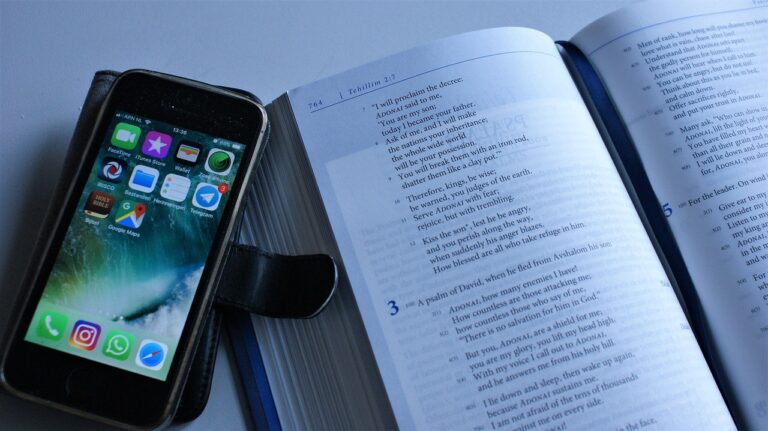
A keyboard, processor, and display are tangible components, whereas the code running on them consists of instructions that control their operation. Your keyboard, display, CPU, RAM, and storage drive are hardware. Microsoft Windows, Android, and a web browser are software.
This explanation gives you clear definitions, everyday examples, fault clues, and classification practice for schoolwork, interviews, and basic device troubleshooting.
Physical Parts and Code Form a Working Computer
A laptop contains circuits, plastic, metal, glass, and a battery, yet those parts sit idle without program instructions. Computer hardware includes the central processing unit (CPU), random access memory (RAM), a storage drive, input devices, output devices, cables, and internal boards.
Computer software consists of programs, files, and code rather than touchable equipment. You cannot hold an operating system in your hand, but your display shows its output, your speakers play its sound, and your SSD stores its files.
Your hardware and software short answer can stay simple: hardware is the physical equipment, and software is the instructions that run on it. That wording fits a class 3 definition, a class 9 response, and a basic IT conversation.
Physical equipment and code depend on each other during every task. Your CPU processes instructions, RAM holds active information, and application software directs the device toward a task such as typing, printing, gaming, or video calling.
Ten Practical Differences Show Separate Roles
A cracked display and a browser error can both interrupt your work, but they leave different clues and need different fixes. This hardware vs software comparison shows 10 differences between hardware and software through physical form, upkeep, failure patterns, and change.
| Point | Hardware | Software |
|---|---|---|
| Tangibility | You can touch physical parts such as a keyboard or SSD. | You use code, files, and data through a screen or speaker. |
| Main role | It handles input, processing, storage, or output. | It directs tasks and controls device behavior. |
| Origin | Factories assemble chips, boards, cables, cases, and switches. | Programmers write code, then compile or package program files. |
| Setup | You attach, insert, or fit a physical component. | You install files on storage or open software through a network connection. |
| Changes | You repair, swap, or upgrade a part. | You edit settings, install patches, or move to a newer version. |
| Copies | Each keyboard, drive, or display needs physical materials. | A compatible device can receive the same program file. |
| Failure pattern | Heat, impact, worn switches, and failed electronics cause faults. | Bugs, malware, missing files, and compatibility conflicts cause faults. |
| Service life | Age and use can wear down a part or leave it outdated. | Code stays usable until platform changes or missing updates block it. |
| Care | You clean, repair, swap, or upgrade physical equipment. | You patch, reinstall, back up, or remove program files. |
| Examples | CPU, RAM, SSD, printer, keyboard. | Android, a browser, a word processor, a game, a mobile app. |
Five Differences Fit a Classroom Response
For a shorter answer, use five contrasts that explain why the categories need separate fault checks. Your response gains substance once you pair each contrast with a real example.
- Physical and digital Hardware has a material form, while software exists as code, files, and instructions.
- Wear and bugs Hardware can fail through heat or impact, while software can contain coding errors or malware.
- Swapping and updating You swap a failed mouse, while you install a browser patch to change software.
- Assembly and coding Hardware comes from physical assembly, while software comes from programming and compilation.
- Materials and files A new keyboard needs new materials, while a program file can move to another compatible device.
These 5 differences between hardware and software explain why diagnosis comes before repair. Reinstalling a word processor will not fix a keyboard with liquid beneath its switches, and a new keyboard will not repair a damaged browser file.
Everyday Equipment and Programs Give Clear Examples
Desk items offer quick memory cues because each part has a visible role. A CPU handles program instructions, RAM holds active data during use, and an SSD or hard disk drive keeps files after the power shuts off.
Input, Output, Processing, and Storage Are Hardware
- CPU The central processing unit carries out program instructions and calculations.
- RAM Random access memory holds active information while your device runs.
- Storage drive An SSD or hard disk drive keeps documents, apps, photos, and system files.
- Input devices A keyboard, mouse, camera, and microphone send data into your device.
- Output devices A display, printer, speakers, and headphones present results to you.
A Corsair keyboard is hardware because your fingers press physical switches and its electronics send signals. Your mouse is hardware for the same reason, even though its cursor appears only as an image on your display.
Programs Handle Tasks and Device Control
- Operating systems Microsoft Windows and Android run core services and coordinate device resources.
- Web browsers Google Chrome and Safari display web content through program code.
- Productivity apps Word processors, spreadsheets, and presentation tools handle school and office tasks.
- Games Game files direct graphics, sound, controls, scoring, and rules during play.
- Cloud applications Online email and document tools remain software even though remote servers run part of the service.
Your laptop and Apple iPhone are hardware devices. The operating system and apps installed on each device are software, even though their icons look solid and take up visible space on a display.
For a difference between hardware and software with examples, pair a physical item with a program: a printer and its driver, a phone and its camera app, or an SSD and a word processor. The object handles a physical action, while the program directs that action.
That direction depends on an intermediary that translates application requests into commands devices can carry out.
System Software Connects Apps to Physical Components
A word processor cannot send letters directly from its document window to a printer motor. It sends a request through system software, which passes that request toward the correct device hardware.
Application Software Handles Your Direct Task
Writing a report, editing a photo, playing a game, or checking email relies on programs designed for tasks you choose. Your word processor turns keystrokes into formatted text, but it does not control every chip, port, cable, and motor by itself.
System software runs below those applications. The operating system assigns CPU time, gives programs RAM, stores files, draws content on the display, and handles network connections.
Device Drivers Translate Requests
Device drivers are specialized programs that let an operating system communicate with a hardware type. A printer driver turns a print request into commands that a printer understands, while a graphics driver sends suitable instructions to a graphics card.
Your operating system works like a traffic controller at a busy intersection. It decides which program gets access to RAM, storage, display resources, and network activity, so one app does not seize the entire device.
A missing or damaged driver can make working hardware appear broken. Check driver status before swapping a printer, webcam, or graphics card.
A Printing Task Shows the Full Chain of Work
A single printed sheet moves through five layers before ink or toner reaches paper. That sequence shows you how hardware, application software, an operating system, and device drivers cooperate during an everyday task.
- Application starts work Your word-processing app holds the text, layout, fonts, and print command.
- System schedules work Microsoft Windows or another operating system places the task in a print queue.
- Driver translates commands The printer driver turns document instructions into a language suited to that printer model.
- Connection carries data A network adapter, USB cable, or wireless radio sends prepared data to the printer.
- Mechanisms produce output Hardware moves paper, applies ink or toner, and sends the finished sheet to you.
Each stage depends on the one before it. Your app starts the request, the operating system assigns resources, the driver translates details, and the printer’s physical parts produce the paper copy.
A stalled job can fail at any layer. Empty trays and jammed rollers point toward hardware, while a frozen print queue, damaged driver, or corrupted application file points toward software.
Firmware Sits Close to Hardware but Remains Code
Startup code inside a keyboard, phone, router, or printer can blur the category line because it lives inside a physical object. Firmware is software stored in nonvolatile memory on a device, so it remains present after power is removed.
Three Labels Resolve Ambiguous Examples
- Physical object Classify a laptop, USB drive, keyboard, printer, or smartphone as hardware.
- Executable code Classify an operating system, app, game, browser, or driver as software.
- Embedded control code Classify startup and control code inside a device as firmware.
- Remote service code Classify a cloud-based app as software, even though server hardware sits elsewhere.
Your USB drive is hardware because it contains a connector, memory chips, and a controller. Files on the drive are software or data, depending on their purpose; the drive does not become software because it stores files.
Smartphone firmware starts low-level device functions before Android or another operating system loads. Firmware remains code rather than a separate physical component, though its close link to a chip causes understandable confusion.
Because failures can originate on either side of that boundary, the symptoms help determine the appropriate remedy.
Fault Clues Point Toward Physical or Digital Maintenance
A repair choice becomes clearer after you name the fault type. Hardware trouble calls for physical work, while software trouble calls for changes to files, settings, drivers, or code.
Care Methods Match the Fault Type
- Clean physical parts Remove dust from vents and debris from keys to reduce heat and blocked input.
- Swap damaged equipment Replace a broken cable, failing drive, cracked display, or worn mouse switch.
- Install software updates Add patches that fix bugs, security flaws, and compatibility problems.
- Reinstall damaged programs Remove corrupted application files, then install a clean copy from a trusted source.
- Back up files Keep document copies before a drive fault, malware event, or failed update.
An app is software even though you tap its icon. An operating system is system software, while firmware is code stored on hardware rather than a physical component by itself.
Recall Levels Add Detail in Stages
For class 3, say that hardware is the parts you can touch and software is the programs that tell those parts what to do. For class 5, add a keyboard as hardware and a game as software.
For class 6, explain that hardware takes input and gives output, while software gives instructions. For class 9, name the CPU, RAM, operating system, application software, device drivers, and firmware to show how each part works with the rest.
Check your grasp with three items: classify your phone, its camera app, and the phone’s firmware. Then explain how your camera app uses the operating system, camera sensor, storage drive, and display to capture and save a photo.
What You Should Retain
One distinction matters: the machine is physical hardware, while software provides the instructions that make it useful. Your next step is simple: name the object, name the code, then state the task they complete together.
FAQ
What are 5 differences between hardware and software?
Hardware is physical, wears out, needs manufacturing, can be repaired or swapped, and includes components such as keyboards and SSDs. Software is digital code, can contain bugs, comes from programming, can be copied or updated, and includes operating systems, browsers, games, and apps.
What are 5 hardware and 5 software examples?
Five hardware examples are a CPU, RAM module, SSD, keyboard, and display. Five software examples are Microsoft Windows, Android, a web browser, a word processor, and a mobile game. Your device uses both groups during nearly every task.
Is a laptop hardware or software?
Its display, battery, motherboard, processor, memory, keyboard, and storage make a laptop a physical device. The programs installed on your laptop, including its operating system and apps, are software.
What is a software example?
Chrome, Safari, and Firefox are programs that direct a device to request, display, and process web content. Other examples include word processors, games, mobile apps, antivirus utilities, and operating systems such as Android.
How do hardware and software work together?
Software sends instructions through the operating system and device drivers, while hardware carries out physical actions. Your word processor processes typed text with the CPU, holds active work in RAM, stores the file on an SSD, and shows it on a display.
What is the difference between hardware, software, and firmware?
A router combines tangible hardware, task-running software, and firmware stored in nonvolatile memory within the device. Your keyboard is hardware, its control code is firmware, and its driver on the computer is software.